
Upload Attendance
This tool helps you to upload bulk attendance from a csv file.
To upload the attendance go to:
> Home > Human Resources > Attendance > Upload Attendance
1. Prerequisites
Before uploading bulk Attendance record, it is advised that you create the following first:
- Employee
2. How to upload attendance in bulk
- Enter Attendance From Date and Attendance To Date.
Click on ‘Get Template’ button. It will download a csv file with the Employee Details as shown.
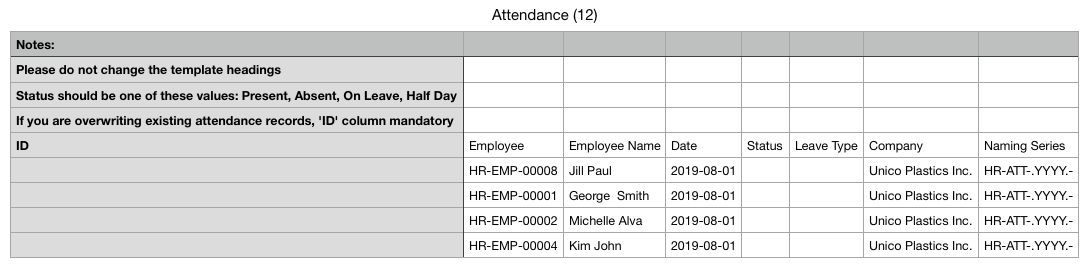
Enter the Status (Present / Absent) of the Employee for the selected dates.
- Save the file.
Upload the saved file.
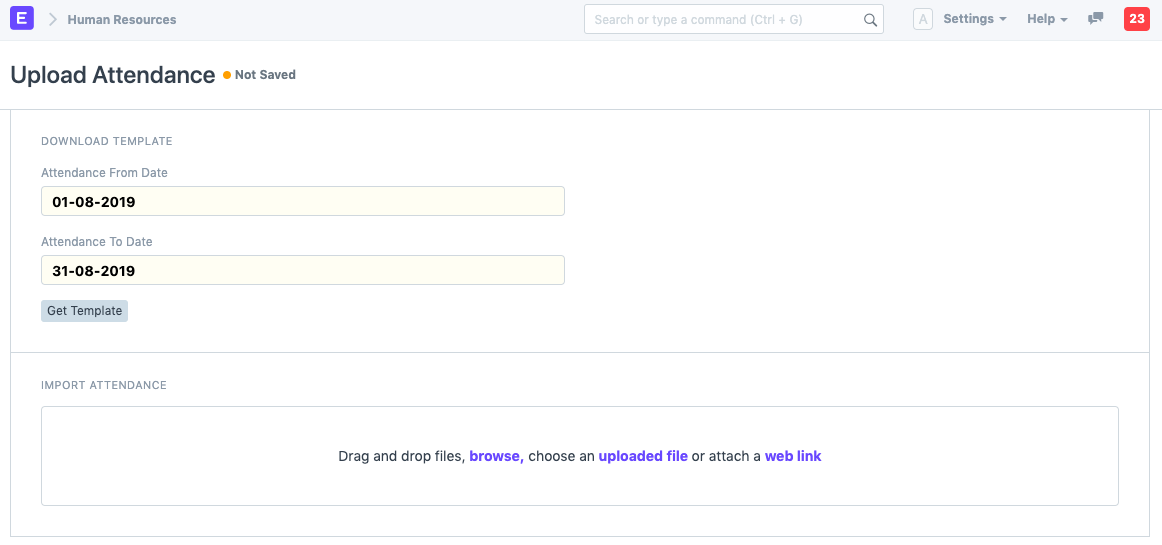
Once the bulk attendance is uploaded, respective attendance records will be created.